Digital Compass for Android
Sugar ToolTravel & Local
2.81.09K Reviews
- Version
- 48.69
- Installs
- 1.00M
- Age Rating
- Everyone
Screenshots
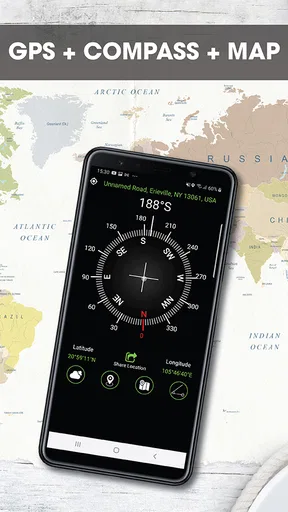
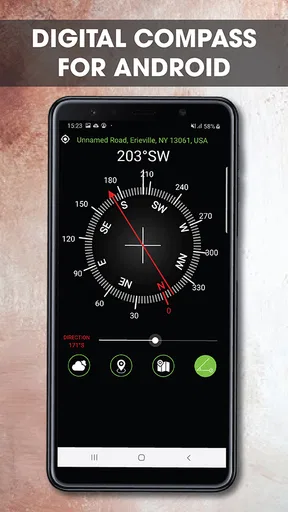
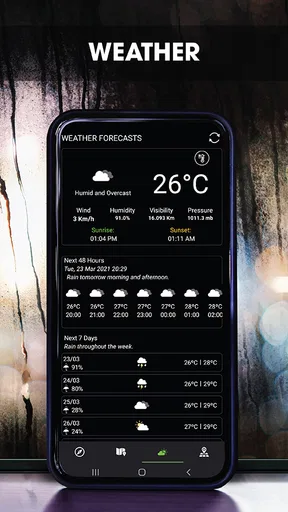
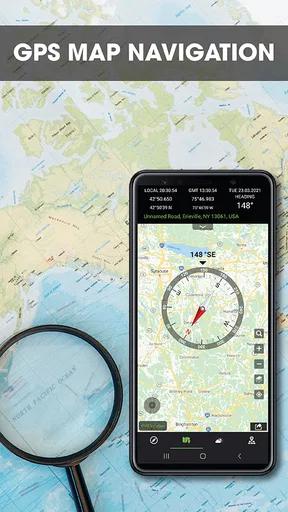
Our Review of Digital Compass for Android
 Analysis by Appyee
I’m cautious about calling any phone compass a complete navigation solution, but I do find a dedicated compass useful when I need a quick sense of direction. Digital Compass for Android combines that basic purpose with map, GPS, and weather elements, so it aims to be more than a dial on the screen. My view is that it makes most sense as a handy orientation aid, not as the only tool I would trust on a remote route.
What you get without paying
The app is free to install, which makes it easy to try before deciding whether it belongs on your phone. It is made by Sugar Tool, and its broad reach—over a million installs—suggests plenty of Android users have given it a look. That does not guarantee a smooth experience for every device, though: its average rating is 2.8 from around 5,500 ratings, a real reason to approach it with measured expectations rather than assume it will suit everyone.
There are in-app purchases, with items priced from $4.99 to $29.99. I would treat the free access as the clearest value and avoid assuming a purchase is necessary for ordinary compass use. Before paying, I’d check what the specific item unlocks and whether that benefit matters to my own routine. The app is rated for Everyone, and it runs on Android 6.0 or later, so its basic audience is broad, although compatibility still depends on the phone and its sensors.
Where a phone compass earns its place
A compass is most useful when I already know roughly where I want to go but need to orient myself. In a large park, for example, a map can show paths while the compass helps me understand which way I’m facing. In a new neighborhood, it can help me keep a chosen direction in mind while I walk between landmarks. Those are modest jobs, but they can prevent the familiar moment of turning around repeatedly at an unfamiliar junction.
The combination of compass and map is a practical idea because each view answers a different question: the compass gives orientation, while a map provides geographic context. GPS can help establish where I am, but it is not the same as knowing which direction I’m facing while standing still. Weather information can also be useful when I’m deciding whether to continue an outdoor outing. I would still check conditions before leaving, rather than treat a phone display as a substitute for planning.
One useful habit is to check the compass in an open spot before relying on it. Metal objects, magnetic accessories, and electronics can interfere with a phone’s magnetic sensor, and a reading that looks precise is not automatically a reliable one. If the direction seems off, move away from nearby objects, recalibrate if prompted, and compare the result with visible landmarks or a map. This quick cross-check matters more than any attractive dial design.
How it compares with maps and built-in tools
Compared with a standard map app, a dedicated compass is easier to consult when all I need is a bearing. A map app is usually the better choice for turn-by-turn directions, route planning, traffic, and searching for places; I would not replace those functions with a compass. The sensible distinction is that a compass helps me orient myself, while a navigation app helps me follow a route.
Compared with a phone’s built-in compass, this app’s appeal is the idea of bringing orientation together with map, GPS, and weather information. Whether that combination is more convenient depends on the interface and how reliably it behaves on a particular phone. If the built-in compass already gives me a clear bearing and I rarely need the other elements, installing another app may add little. If I like having those tools together, the free download makes a low-commitment trial reasonable.
For serious hiking, I would pair it with an offline map saved in advance and a route plan I can understand without a live connection. A digital compass can help me recover my sense of direction, but it cannot tell me whether a path is safe, open, or the right trail unless I have useful map context. On a remote trip, a paper map and a conventional compass remain sensible backups because a phone can run out of battery or be damaged.
Small checks that make it more useful
Before heading out, I’d open the app at home and learn where its compass and map views are, rather than trying to work that out at a confusing junction. I’d also check that the phone’s location settings are available when I want GPS-related information, and I’d test the compass outdoors where it can get a cleaner reading. These steps take little effort and help separate an app problem from a sensor or surroundings problem.
For a walk through an unfamiliar town, I might first use a map to identify a landmark, then use the compass to keep the right general heading while navigating streets. I would still follow street signs and verify turns against the map. In a market or large public space, the compass can help me maintain a direction toward an exit or meeting point, but it cannot identify that exit on its own. Thinking of it as one part of a simple navigation routine keeps expectations realistic.
Weather information is best treated as a quick reference rather than the deciding authority for a hike. Conditions can change, and a general reading on a phone does not replace checking a reliable forecast and carrying suitable clothing. Likewise, GPS positioning and compass direction answer different questions: one concerns location, the other orientation. If one seems wrong, checking the other alongside a known landmark is more useful than repeatedly trusting a single screen.
Who is likely to find it worthwhile
I can see this being useful for casual walkers, travelers who like a simple directional aid, and anyone who occasionally wants to know which way is north without opening a full navigation workflow. It may also suit people who enjoy having map and weather information close to a compass view. Its current version is 48.69, but a version number alone does not tell me how it will behave on every model, so I’d judge it by a short practical test on my own phone.
I’d skip it if I need dependable turn-by-turn navigation as my main purpose, or if I’m planning demanding hikes and expect one app to cover route safety, offline mapping, and backup navigation. I’d also be cautious if a basic built-in compass already meets my needs; there is no point adding another app simply because it bundles familiar tools. The modest rating is another reason to test the free experience before considering an in-app purchase.
Ultimately, I see Digital Compass as a convenient extra rather than essential equipment. The free entry point is appealing, and the mix of orientation, map, GPS, and weather functions may fit everyday outings, but the low average rating tempers my recommendation. I’d try it on a familiar walk first, compare its readings with landmarks, and keep a dedicated map app for routes. If it works smoothly on your phone, it can earn a place in your travel toolkit; if not, your built-in compass and usual maps are likely enough.
Ever found yourself utterly lost in a new city or perhaps on a hike where the trail markers have mysteriously vanished? Yeah, me too. Enter Digital Compass for Android, a nifty little app that can save you from the embarrassment of ending up miles off course. I recently took it for a spin, and here’s how it went down.
Getting Started with Digital Compass
First things first, downloading and installing the app is as straightforward as it gets. Head over to the Google Play Store, hit ‘Install’, and within seconds, you’re ready to navigate the world like a pro. When you open the app, you’re greeted by a sleek and user-friendly interface. No clutter, just a clean digital compass ready to point you in the right direction.
Features That Stand Out
One of the coolest features of the Digital Compass is its ability to work offline. So, if you’re deep in the woods with zero reception, you’ll still have a trusty navigator by your side. The app also offers a lot more than just basic compass functionality. With integrated maps, you can easily toggle between the compass and map views, helping you not only find your direction but also visualize your path.
Another gem is the altitude feature. Whether you’re climbing mountains or just curious about the elevation of your backyard, this little tool is surprisingly accurate. And for those who love a bit of celestial navigation, there’s even a sun and moon position indicator, which is great for planning hikes or camping trips.
User Experience
Now, let’s talk about usability. The app is intuitive, with a simple swipe and tap interface that makes navigation a breeze. The graphics are clear and easy on the eyes, which is a huge plus when you’re trying to focus on directions rather than fiddling with confusing settings.
Additionally, the calibration process is quick. Just a few figure-eights with your phone, and you’re all set. No need for any prior technical know-how, which makes this app accessible to everyone from tech novices to seasoned adventurers.
Real-World Application
So, how does it perform in real-world scenarios? I decided to test it out during a weekend hike. The compass was spot-on, and the map integration came in handy when the trail was less than clear. It was comforting to have the altitude reading as we climbed, reassuring us that we were indeed making progress towards the summit.
In urban settings, the app didn’t disappoint either. Whether I was trying to find a north-facing café for optimal sunlight or just orienting myself in a sprawling market, the Digital Compass was a reliable guide.
Final Thoughts
Overall, Digital Compass is a solid app for anyone who needs a dependable navigation tool on their Android device. It’s packed with useful features, easy to use, and doesn’t require an internet connection, which is a rare find these days. Whether you’re a casual hiker or someone who just wants to find their way around town, this app is a handy addition to your smartphone toolkit.
If you’re looking to never lose your way again, give Digital Compass a shot. Trust me, it’s like having a little piece of magic in your pocket. Happy exploring!
Verdict
Strengths of Digital Compass for Android
- Accurate directional guidance.
- Easy-to-use interface.
- Includes map integration.
- No internet required.
- Quick calibration.
Limitations of Digital Compass for Android
- Contains ads in free version.
- Limited features without upgrade.
- Drains battery quickly.
- No customization options.
- Occasional calibration issues.
Similar Picks in This Category
View All
Google Maps
Google LLC3.4

Google Maps Go
Google LLC4.1

Booking.com: Hotels & Travel
Booking.com Hotels & Vacation Rentals4.8

Google Earth
Google LLC3.8

Skyscanner Flights Hotels Cars
Skyscanner Ltd4.8

trivago: Compare hotel prices
trivago N.V.4.4
Frequently Asked Questions
What features does the Digital Compass app offer?
The Digital Compass app provides accurate directional assistance using your device's built-in sensors. It includes features such as magnetic heading, true heading, and geographic coordinates. Additionally, the app offers a user-friendly interface with customizable settings, enabling users to switch between different compass styles and themes for a personalized experience.
Is the Digital Compass app accurate for navigation?
Yes, the Digital Compass app is designed to offer precise navigation by leveraging your device's magnetic and GPS sensors. However, accuracy can be affected by nearby electronic devices or magnetic materials. It is recommended to calibrate the compass regularly and use it away from potential interferences to ensure optimal performance.
Does the Digital Compass app require an internet connection?
The Digital Compass app primarily relies on your device's internal sensors and does not require an internet connection for basic compass functionality. However, some features, such as map integration or location sharing, may need internet access to provide enhanced services. Check the app settings to manage data usage effectively.
Is the Digital Compass app user-friendly for beginners?
Absolutely, the Digital Compass app is designed with a simple and intuitive interface suitable for beginners. It offers clear instructions and easy navigation, making it accessible for users with varying levels of tech-savviness. The app also includes a tutorial to guide new users through its features and settings.
Are there any in-app purchases or ads in the Digital Compass app?
The Digital Compass app is available as a free download, and while basic features are accessible without cost, it may include ads. Users can opt for in-app purchases to remove ads or unlock advanced features. Reviewing the app's purchase options can help you decide if upgrading enhances your experience.
